Meeting Room Technology
Every office has that room — the one where the first ten minutes of every meeting is spent finding the right cable, waking the screen, and apologising to the people dialling in. We design, install and support meeting room technology for Perth tenancies: Microsoft Teams Rooms and video-conferencing systems, room booking panels, and the cabling and acoustic groundwork that determines whether any of it actually works.
Dedicated room systems signed into their own room account — console on the table, camera and audio matched to the room size, one-touch join from the calendar. Native rooms also join calls from other platforms as a guest, which handles the client who insists on their own videoconferencing service.
The laptop runs the meeting; the room supplies a good camera, microphone, speakers and display over a single USB-C cable or wireless sharing. No room account, no room licence, any platform the laptop can run — the right call for interview rooms, huddle spaces and visitor-heavy rooms.
A panel at the door showing status and schedule ends squatting and ghost bookings: book on the spot, check in when the meeting starts, and let unclaimed bookings release automatically. Booking data tells you — before the next lease decision — whether you need more rooms or just better-run ones.
Displays, cameras, table inputs and panels need data and power exactly where the joinery puts them, on a network designed for real-time video. All meeting room cabling is delivered under our data cabling practice — registered cablers, tested and documented.
What good looks like
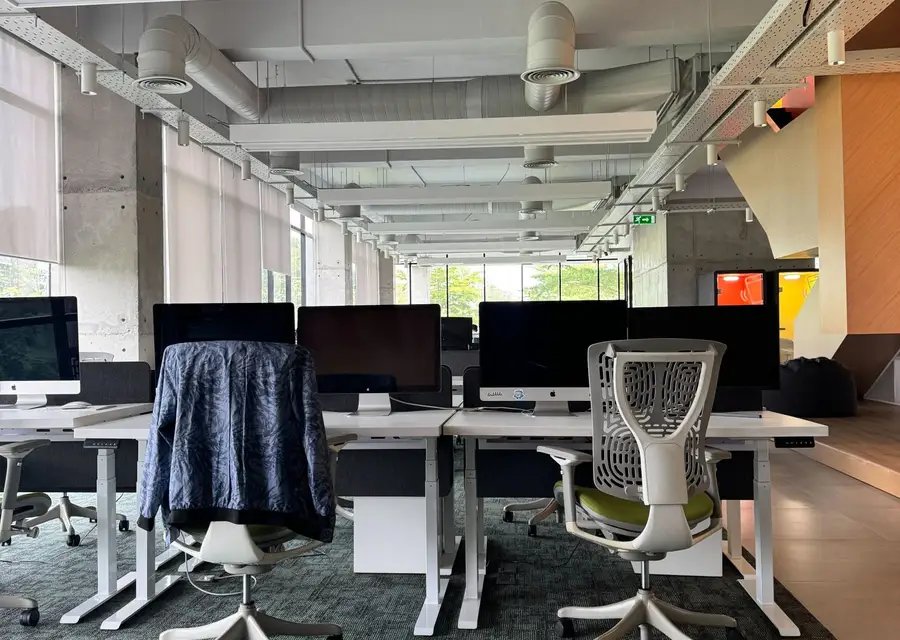
The benchmark is simple to state: walk in, see your meeting on the room controller, touch Join, and be in the call — camera framing the room, everyone audible, content sharing without a cable hunt. Rooms that hit this benchmark get used; rooms that don't get routed around, and the money spent on them is quietly wasted.
Getting there is a design job across four layers: the platform (native room vs BYOD), the hardware (audio, video, displays), the room itself (acoustics, lighting, layout) and the infrastructure (cabling, network, power). Skip a layer and the room finds a way to remind you. For organisations running Microsoft 365, a Teams Room is the default answer for most scheduled meeting spaces; room hardware from the major manufacturers comes sized for huddle spaces up to boardrooms, and the right kit is determined by the room's dimensions and layout — a boardroom needs different microphone coverage and camera behaviour than a four-person pod, and this is where most self-specified rooms go wrong. We design per-room, not per-catalogue.
Native rooms carry a per-room licence and a management overhead — accounts, updates, monitoring — real costs that belong in the comparison honestly. Our rule of thumb: rooms that host scheduled, recurring, multi-party meetings earn native Teams Rooms; overflow and drop-in spaces earn well-executed BYOD. Most tenancies land on a mix, and specifying that mix room-by-room is where the budget gets efficient.
The part nobody sees
Fitting out or refitting? The office fitout technology checklist covers when each of these decisions needs to be made — almost all of them earlier than the AV order. Meeting rooms are also part of our wider AV and digital signage scope.
And once rooms are live, they degrade by a thousand small cuts — a firmware update changes behaviour, a cable walks, an account token expires. Under our managed services, rooms are monitored and maintained deliberately: updates tested and scheduled, faults spotted from monitoring rather than from a complaint, a spares strategy for the parts that fail, and a single number to call when a room misbehaves five minutes before a board meeting. For tenancies without in-house IT, we fold this into broader IT support; for those with IT teams, we take the AV layer off their queue.
A dedicated room system signed into its own room account — which is what enables one-touch join from the calendar, room-scale audio and camera behaviour, and central management. A TV and webcam can be a perfectly good BYOD room; it just can’t do the calendar-driven, walk-in-and-join experience.
Yes — current Teams Rooms can join other platforms’ meetings as a guest directly from the room, with some feature limits compared to a native call. For organisations that live primarily on another platform, we’d design around that platform’s room systems instead; the engineering principles are identical.
By room, not by policy. Scheduled multi-party meeting spaces justify native rooms; drop-in and visitor-heavy spaces suit BYOD. We map your rooms against how they’re actually used and specify accordingly — the mixed answer is usually the right one and the cheapest one.
Not necessarily — poor audio is as often the room as the gear. We assess acoustics, microphone placement and processing before recommending replacement; sometimes treatment and reconfiguration solve it, sometimes the audio chain genuinely is undersized for the room. The assessment comes first either way.
Before services rough-in — cabling paths, floor boxes, power and wall reinforcement all land in the build program earlier than most tenants expect. Equipment selection can come later; infrastructure can’t. Involve the integrator at design stage and the AV budget goes into rooms, not rework.
Under managed support, we do — with monitoring that often flags the fault before your staff hit it. Without support, rooms tend to be fixed by whoever is least able to escape the room at the time, which is how one-touch rooms decay back into cable-hunt rooms.
One boardroom that keeps embarrassing everyone, or a full floor of rooms in a new fitout — let's scope it.
Start the conversation
Tell us about your office and what you're planning. We'll come back with a clear scope and honest pricing.
